Paid Memberships Pro
Turn your PMPro membership site into an app
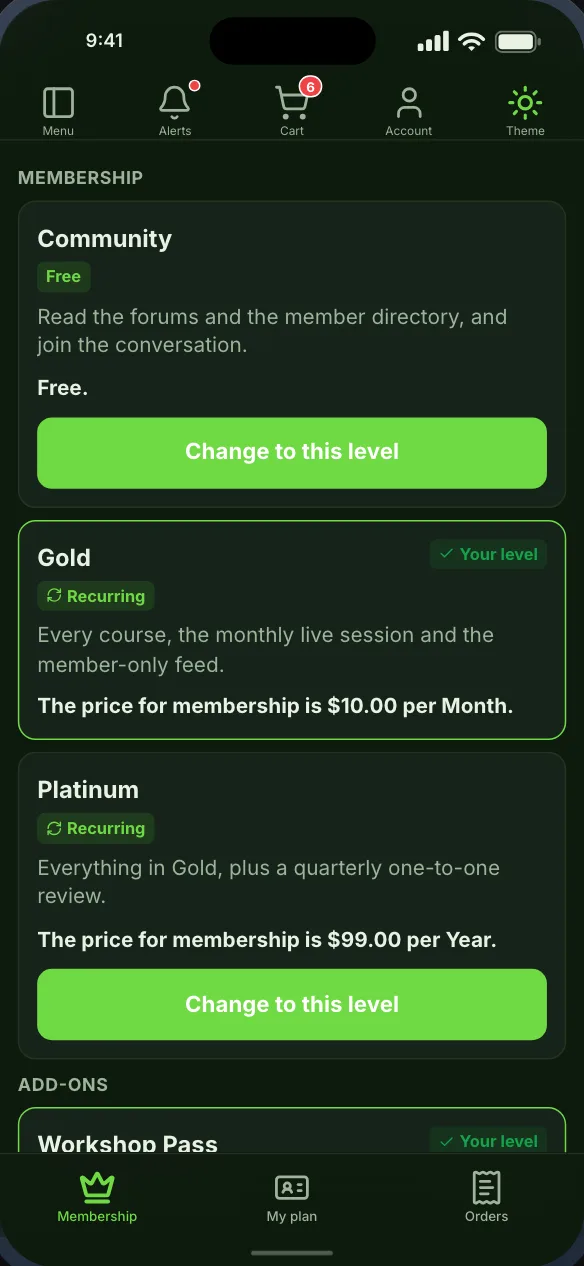
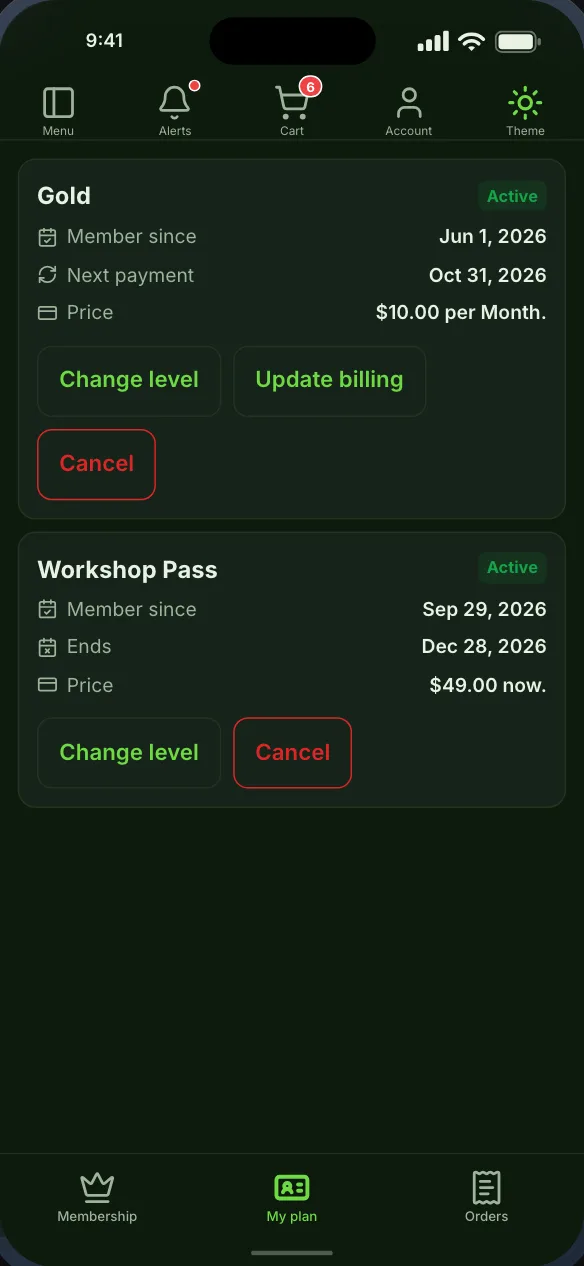
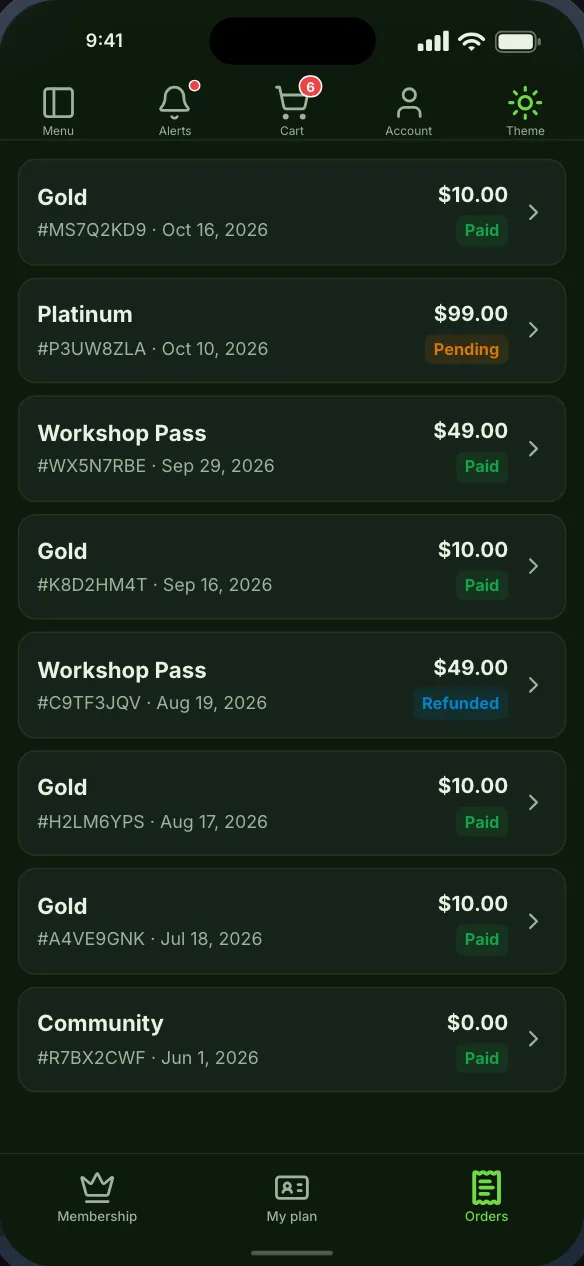
Your Paid Memberships Pro levels as a native pricing screen, each member’s own membership with renewal, billing and change of level, and every invoice they have paid. Any screen in the app can be kept for chosen levels.
Free while in beta. No credit card needed.
In the app
What Paid Memberships Pro becomes
Native screens, drawn by the app from your site’s data, that you place on the bottom bar, the top bar or the side drawer.
Membership levels
My membership
Orders and invoices
Screenshots
The screens themselves
Captured from the app the builder previews, not drawn for this page. Each one can be seen in light or dark.
Getting started
From your site to your phone
Nothing on your Paid Memberships Pro setup changes, and members sign in with the accounts they already have.
- Step 1Step 1
Install the Memberside plugin
On your WordPress site, beside Paid Memberships Pro. It reads your plugins for the app and adds nothing to your pages. - Step 2Step 2
Place the screens
Start from a starting layout or drag Paid Memberships Pro’s screens onto the navigation yourself, and see them in the live preview. - Step 3Step 3
Build and try it
Put the build on your own phone, then ship it from your own Apple and Google accounts.
Questions
Paid Memberships Pro in the app
Often run alongside



Paid Memberships Pro is a trademark of its owner. Memberside is not affiliated with, endorsed by or connected to its maker; the name is used only to say which plugin the app reads.